MCP guides
Your Own AI, in Every Application
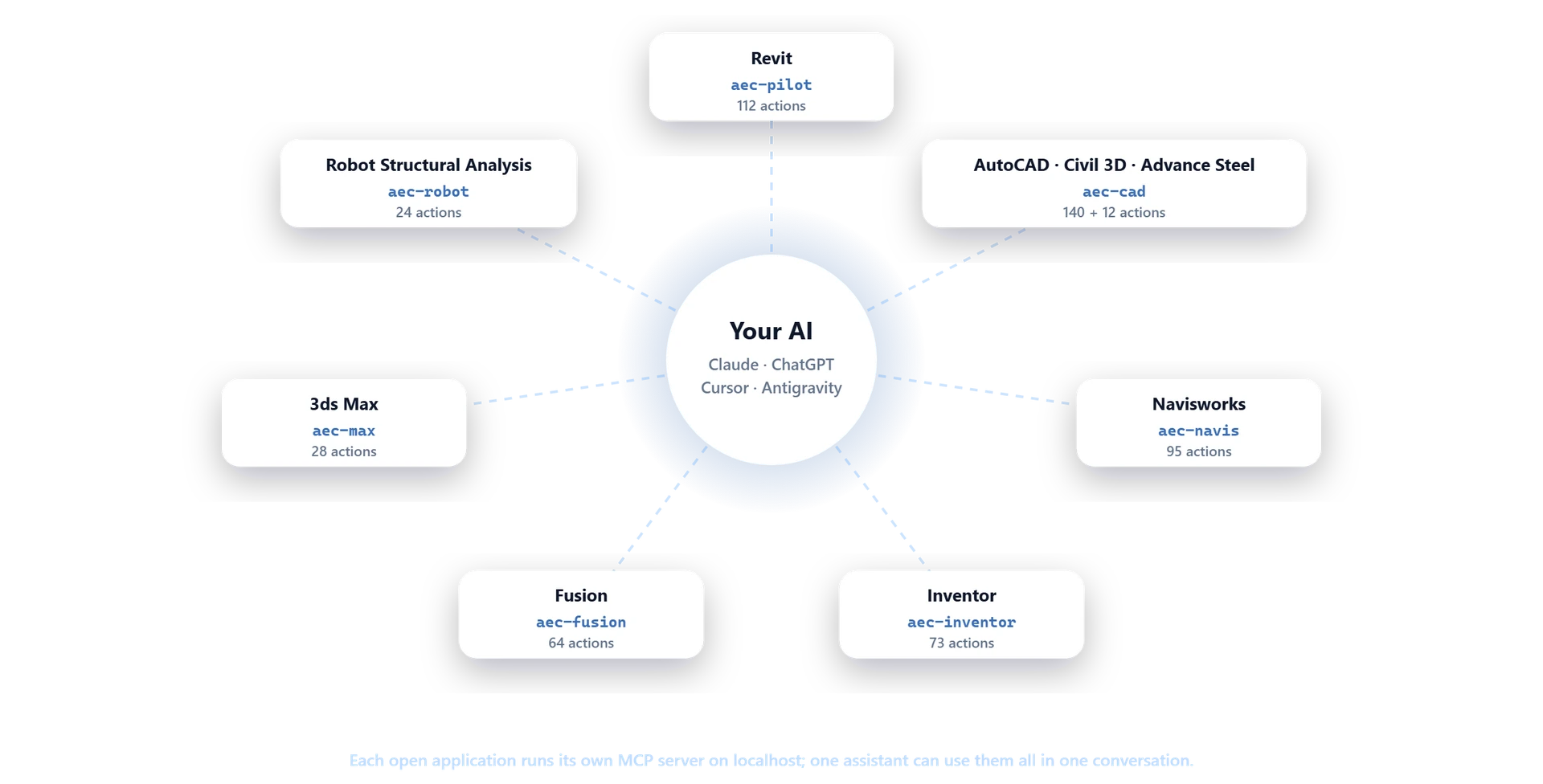
Connect Claude, ChatGPT, Cursor or any MCP client to the Autodesk apps on your PC. Pick one to see what it does.
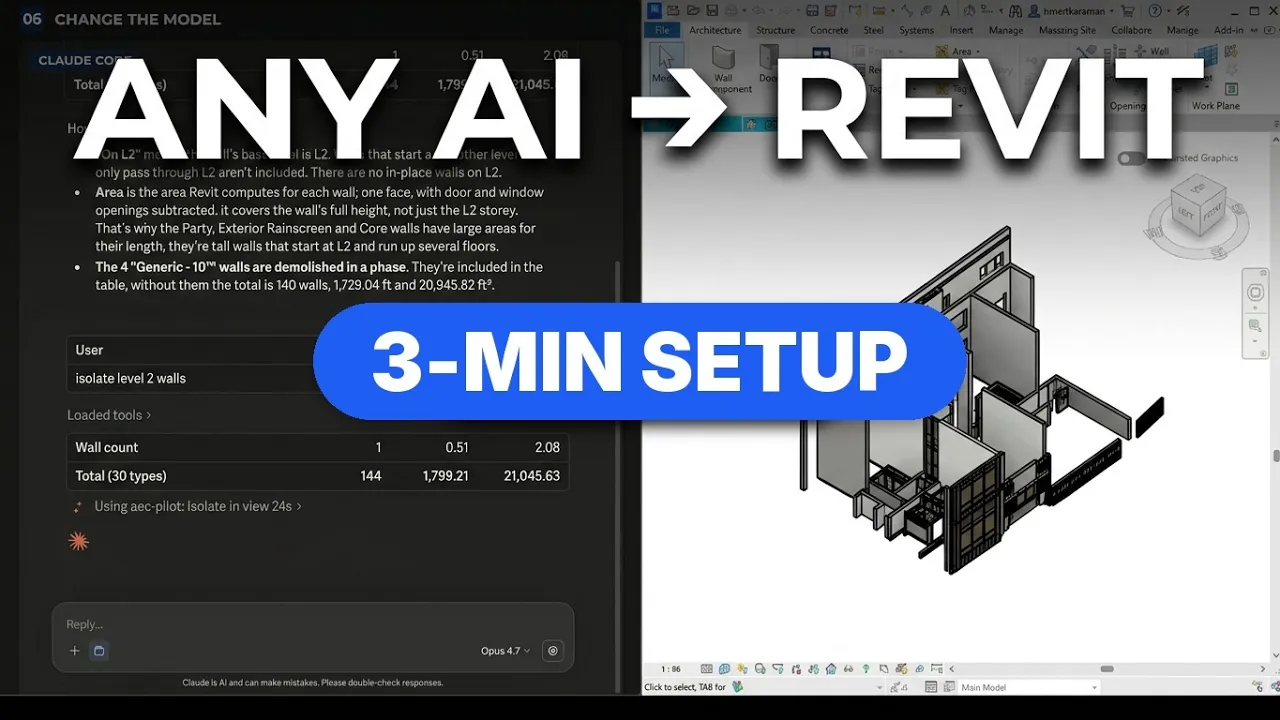
How to connect Claude to Revit, step by step
How to connect ChatGPT and Codex to Revit and AutoCAD
VIDEO · 3:02
Frequently Asked Questions
What is an MCP server for Autodesk software?
MCP (Model Context Protocol) is an open standard that lets an AI assistant call real actions in other software. AEC Pilot runs an MCP server inside each Autodesk app on your PC, so Claude, ChatGPT or Cursor works on the open model or drawing instead of only giving advice.
Which Autodesk apps and versions are supported?
Revit 2023–2027, AutoCAD and Civil 3D 2021–2027, Advance Steel 2024–2027, Navisworks Manage and Simulate 2023–2027, Inventor 2027, Fusion, 3ds Max and Robot Structural Analysis 2024–2027. One installer finds your versions and sets them up. LT versions don't load add-ins and are not supported.
Is there an MCP server for the Autodesk AEC Collection?
Yes. AEC Pilot adds one to each AEC Collection desktop app it supports: Revit, AutoCAD, Civil 3D, Advance Steel, Navisworks Manage, 3ds Max and Robot Structural Analysis. One installer sets them all up, and one licence covers them on the same machine.
Doesn't Autodesk have its own MCP servers?
Yes, for a few products. As of November 2026 Autodesk lists Tech Preview servers for Revit (2027 with the 2027.2 update or later) and for AutoCAD and Civil 3D, three for Fusion (Fusion MCP, Fusion Data MCP and Fusion Compute MCP, the last in beta) and Product Help MCP, which answers from Autodesk’s documentation. AEC Pilot reads and edits on Revit 2023–2027, works from the AI client you already use, and also covers Navisworks, Inventor, Advance Steel, 3ds Max and Robot Structural Analysis, which have no Autodesk server.
Is there an MCP server for InfraWorks, Arnold or PowerMill?
Not as of November 2026. Autodesk’s MCP servers cover Revit, AutoCAD, Civil 3D and Fusion, and AEC Pilot’s nine applications don’t include these three. For questions about how they work, Autodesk’s Product Help MCP answers from the documentation of more than 110 products.
Which AI assistants can I use?
Claude Desktop, Claude Code, ChatGPT / Codex, Cursor and Google Antigravity connect in one click, and any other MCP client works too. You use your own AI account; we add no AI fee. Or skip it and use Pilot Chat, docked inside the app.
Do I need to edit JSON files or install Node.js?
No. Pick your client in AEC Pilot's settings and click once: it writes the connection and keeps your other MCP servers. One small executable ships with the installer, so there is no Node.js or Python to install.
Can one assistant work with several apps at once?
Yes. Each open app runs its own MCP server, and one assistant can connect to all of them and use them in the same conversation.
Can it change my model, or only read it?
Both. It creates and edits elements, drawings and scenes in the open file, not just reads them. Deleting always needs an explicit scope, and running code needs your approval in Pilot Chat.
Does my model leave my computer?
No. Everything runs on your machine and each MCP server listens on localhost only. Your models and drawings are never uploaded; your AI client sees only the results you ask for.
Do I need a licence for each app?
No. One AEC Pilot licence covers all nine applications on the same machine, and you can try everything free for 14 days.
Sources and further reading: Model Context Protocol specification · How to connect your AI assistant · What data leaves your computer